
- Keep your best channels for a paid role (VIP). Leave #welcome and #announcements public so people can see what they’re missing.
- As far as we know, Discord’s Server Subscriptions aren’t open outside the US: pick between Patreon/Ko-fi, a homemade bot or a sales page like Onesub.
- Start with one or two plans, somewhere between €5 and €30 a month depending on what paying members get.
- Don’t manage roles by hand: the role should arrive with the payment and leave when the subscription ends.
4 ways to monetise a Discord server, honestly compared
The model that works best on Discord is a paid Discord server: a monthly subscription that unlocks a role, and that role opens private channels. You can also sell services or sponsorships, but a subscription is the only income that comes back every month without you having to sell again.
The real question is which tool takes the money and handles the roles. There are four, each with its own limits.
1. Discord’s own Server Subscriptions
Members pay right inside Discord and get a role. Discord says you keep 90% of what you earn, after applicable deductions. No sales page of your own, no promo codes, no Telegram channel in the same subscription. Above all, as far as we know, it’s only open to server owners based in the United States, with US banking details and US ID.
Pick this if you live in the US and don’t need a sales page of your own. In that case it’s the simplest option. Check the current terms on Discord’s official help pages.
2. Patreon or Ko-fi + their Discord integration
Fans subscribe on Patreon or Ko-fi, and the platform’s Discord integration gives them a role on your server. These are well-known names, which reassures people. In return the fee is higher (around 10% on Patreon for a new creator, before payment fees), and your subscriber has to create an account on the platform, then link their Discord to it.
Pick this if your community already pays on Patreon or Ko-fi: don’t move it for nothing. For a new server, Onesub takes 5% down to 1% instead of ~10%, your member pays on your own page without creating a Patreon account, and the same subscription can open a Telegram channel.
3. A homemade bot or managing roles by hand
You take payment by PayPal or bank transfer and hand out the role yourself, or you build your own bot connected to a payment system. No platform fee, but it all rests on you: checking who has paid, removing roles at the end of the month, hosting and maintaining the bot. One bug and members get in without paying, or get locked out.
Pick this if you’re testing with a handful of members, or you’re a developer and happy to host and fix the bot yourself.
4. Onesub: a sales page + automatic roles
Available in Europe
You create your sales page, connect your server, and the Onesub bot gives the paid role as soon as someone pays, then removes it when the subscription ends. Members pay by card and the money lands in your own Stripe account. You can set up several plans, promo codes and free trials, and sell your Discord and a Telegram channel in the same subscription.
Cost: 5% per sale on the free plan, 3% or 1% on Premium (€49/month) and Pro (€99/month), plus Stripe fees. The details are on the pricing page. Pick this if you’re outside the US and want your own page without managing roles yourself.
| Discord native | Patreon / Ko-fi | Manual / homemade bot | Onesub | |
|---|---|---|---|---|
| Fee | 10% + deductions | ~10% on Patreon + fees | 0% (but your time) | 5%, or 3% and 1% on the €49 or €99/month plans, + Stripe |
| Role given and removed automatically | Yes | Yes | No, unless you code a bot | Yes |
| Your own sales page | No | The platform’s page | No | Yes |
| Promo codes and free trials | Not as far as we know | Depends on the platform | No | Yes |
| Money paid into your account | Through Discord, US account | Through the platform | Yes | Yes, your own Stripe |
| Available outside the US | No, as far as we know | Yes | Yes | Yes |
Discord Server Subscriptions details checked in October 2026 against Discord’s public announcements. Discord changes its terms over time, so check its official help pages for the latest version.
Tutorial: make your Discord server paid with Onesub, step by step
Allow five minutes, no code needed. The video shows the whole journey, from creating your account to your first VIP member. The written steps are below it.
Video tutorial: monetise your Discord server with Onesub
In this video (in French): click a chapter to jump straight to it.
Step 1: create your Onesub page
Sign up for free and say you want to sell access to a Discord server. Your page comes pre-filled: add your photo, your description and your colours. Your address will look like your-name.onesub.fr.
Step 2: connect your Discord server
Add a Discord block to your page and authorise Onesub on your server. Onesub creates the Onesub VIP role and a private channel for that role itself. As soon as a member pays, they get the role. When their subscription ends, they lose it.
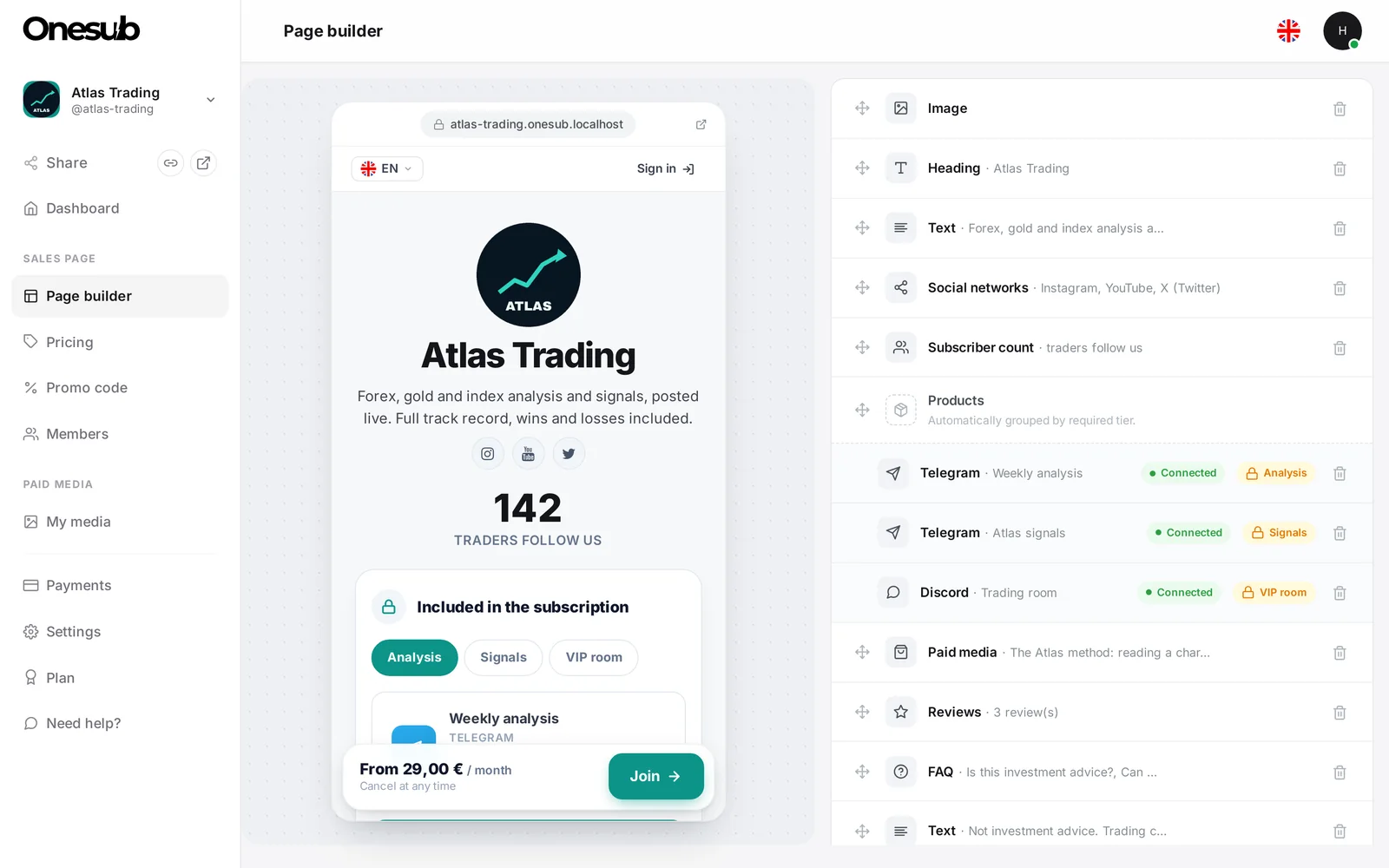
Step 3: set up your private channels
Add the channels you want to keep for paying members (analysis, chat, voice…) and give the “View channel” permission to the Onesub VIP role only. Keep a few public channels, such as #welcome and #announcements: they’re your shop window.
| # vip-analysis · Permissions | View channel |
|---|---|
| @everyone | Denied |
| @Onesub VIP | Allowed |
Step 4: set your price and plans
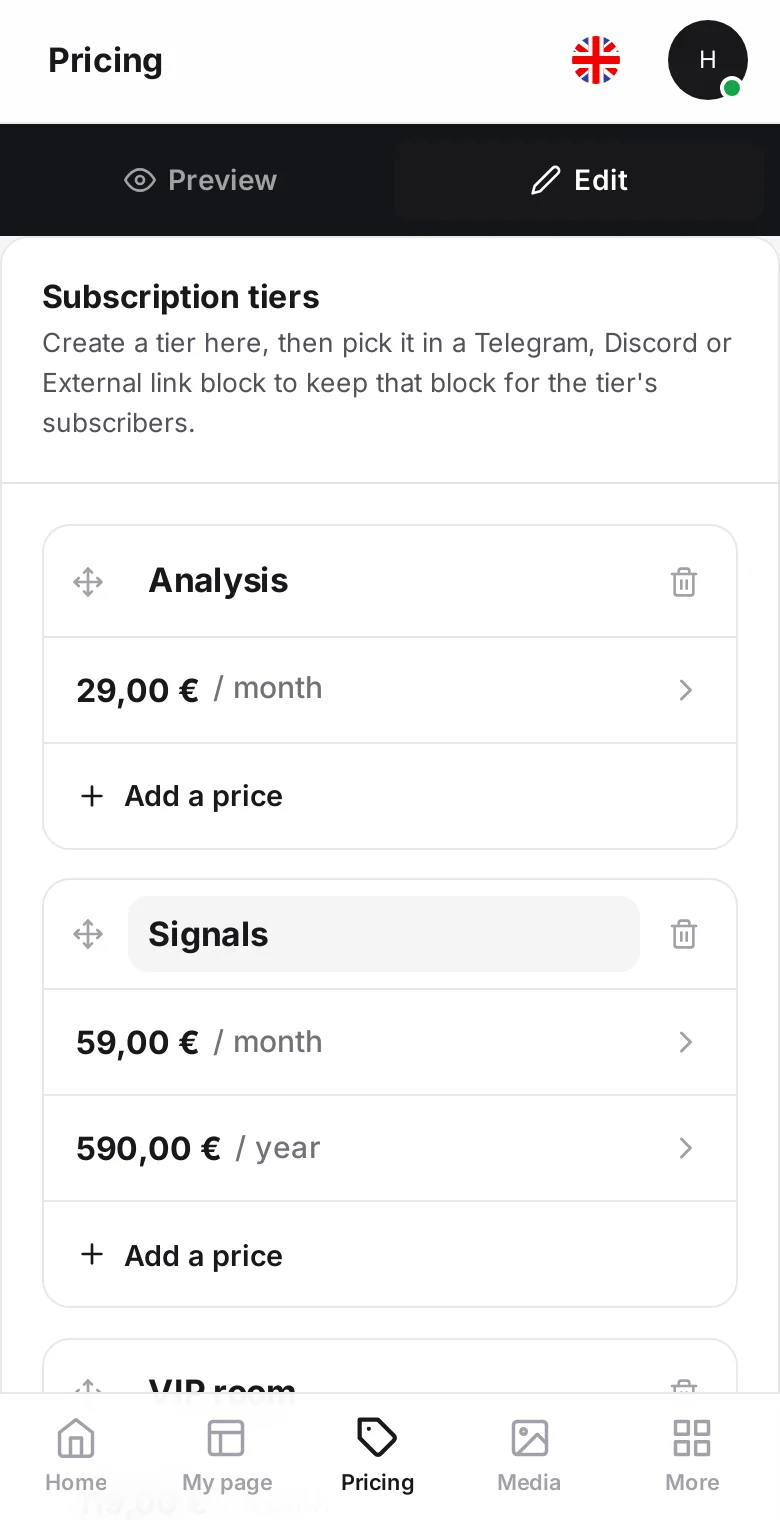
Choose your price and billing period: monthly, quarterly or yearly, with several prices on the same plan if you like. You can create several plans, say Member and VIP, then keep each block on your page for one of them. A launch promo code or a few days of free trial helps people who are on the fence.
Step 5: connect Stripe to get paid
Connect your own Stripe account: some ID and your bank details, a few minutes. Every payment goes to you, then on to your bank account.
Step 6: test it, then share your link
Go through the process as a member to check the role arrives. Then pin your Onesub link in #announcements, put it in your Instagram, TikTok or YouTube bio, and mention it on your streams. From then on, every payment hands out its role without you lifting a finger.
How much should you charge for a Discord subscription?
The right price depends on what paying members get. A peer-support community doesn’t sell like daily analysis or direct access to you. Here are three typical plans, from the simplest to the most exclusive.
€5 to €10 /month
Access to the discussion and help channels. The entry plan, to convert as many free members as possible.
€15 to €30 /month
Your high-value content: analysis, signals, programmes, members-only streams. Often the plan that brings in most of the revenue.
€50+ /month
Direct access to you: priority questions, group calls, a small group. Few members, but very engaged.
These ranges are benchmarks; adjust them to your niche. Start with one or two plans and add the third when members ask for it. Onesub creates one paid role per connected server. For several levels, keep a server or a Telegram channel for each plan: a subscriber on a higher plan also gets everything the plans below it unlock. Members can also upgrade on their own, prorated.
How much could your Discord server bring in?
A realistic benchmark: 1 to 5% of a free server’s active members switch to a subscription. On a 1,000-member server, that’s 10 to 50 subscribers, or €150 to €750 a month at €15. Try it with your own numbers:
Your sales each month
After the Onesub commission and plan, before Stripe payment fees.
Discord or Telegram: which one for your paid community?
Both work very well with a subscription. The difference is how your community lives day to day.
Discord, if your members talk to each other
- Topic channels, threads, voice and live streams
- Roles and permissions set channel by channel
- Ideal for peer support, gaming, group courses
Telegram, if you broadcast
- Your messages arrive as notifications, like a text
- Simpler for subscribers: nothing to set up
- Ideal for signals, tips, alerts and daily content
You don’t have to choose: one subscription can open both a Telegram channel and a Discord server. If Telegram suits you better, follow the complete guide to creating a paid Telegram channel.
What a paid Discord role looks like to a member
Take an example trading page with three plans: Analysis, Signals and VIP room. The first two open Telegram channels. The third also opens a Discord server, the trading room, kept for the paid role.
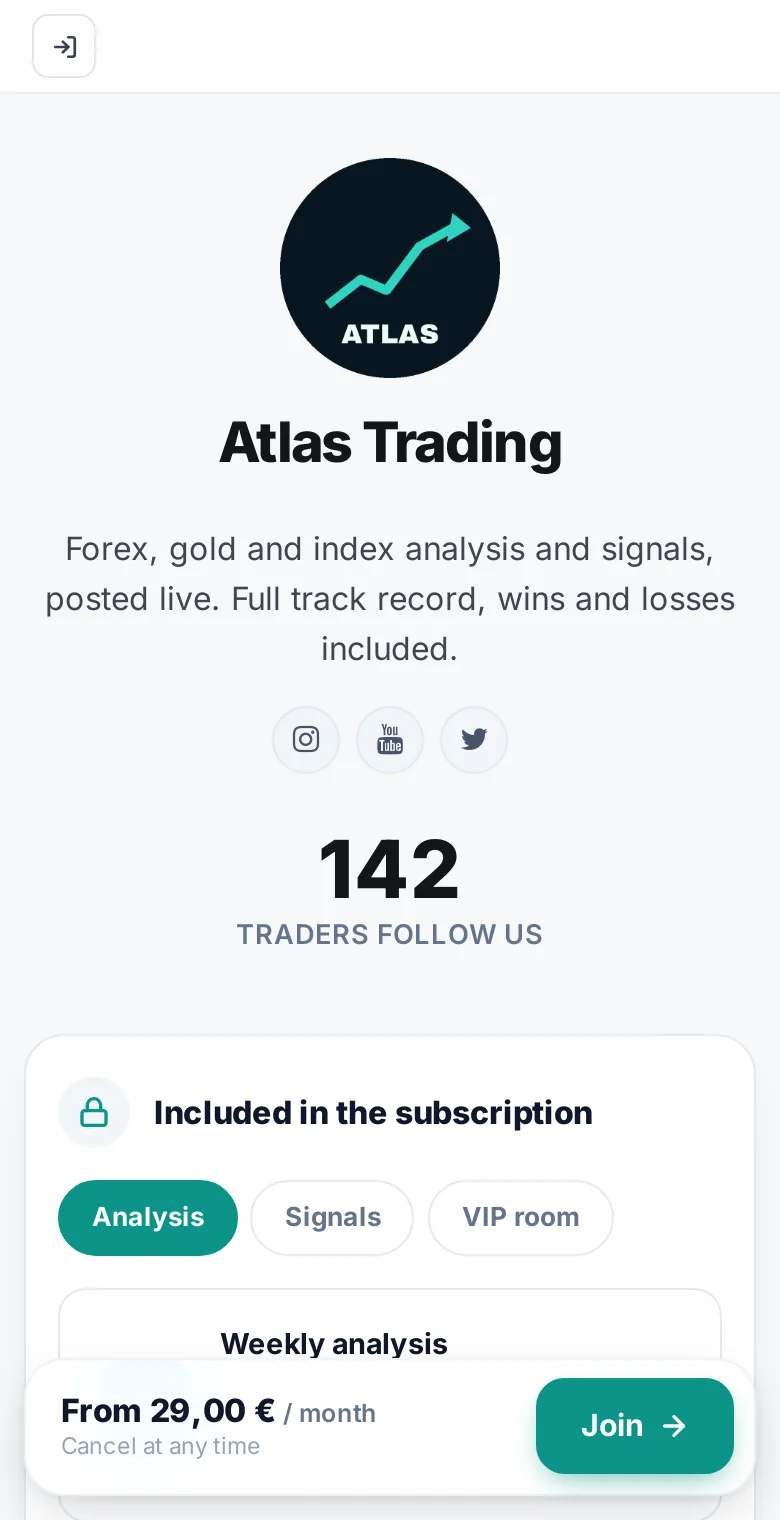
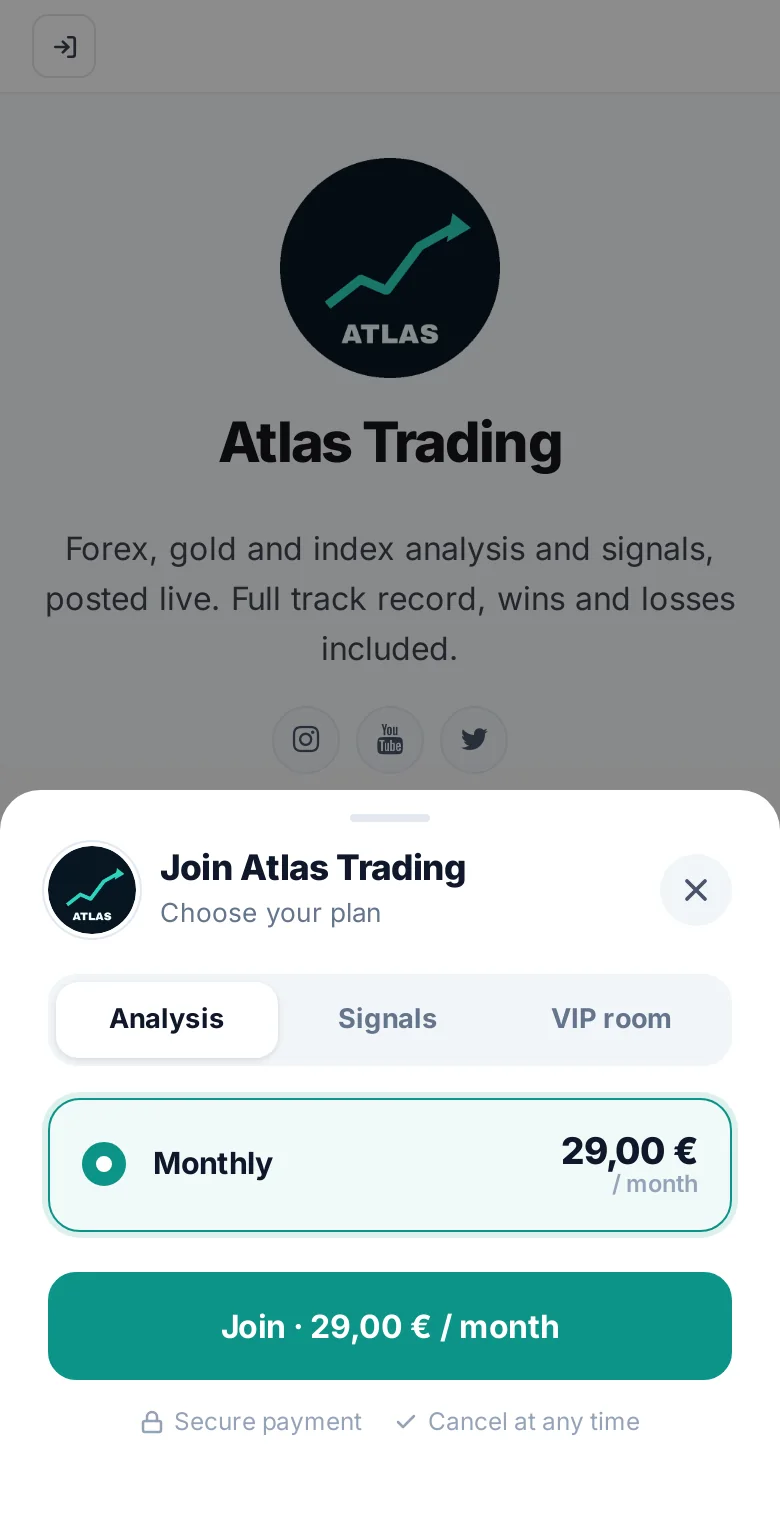
- The Discord justifies the top planTalking with other traders and voice chat are worth more than analysis you read alone, so they’re kept for the highest plan.
- Plans stackA VIP room member also sees what Analysis and Signals unlock. Nobody has to pay for three subscriptions.
- Nothing to manage by handThe member pays and gets the role. If they cancel, they keep it until the end of the period they paid for, then the bot removes it.
If that’s your field, the guide to selling trading signals covers what to put in each plan and the rules to follow.
7 mistakes to avoid with a paid Discord server
- Leaving VIP channels visible to @everyone.Check the permissions on every private channel: “View channel” denied for @everyone, allowed for the paid role.
- Leaving the Onesub VIP role above the Onesub bot’s role: the bot can no longer give it.On Discord, a bot can only hand out roles that sit below its own. If you reorder your roles, keep the Onesub bot’s role above Onesub VIP in the list.
- Managing roles by hand.At 50 paying members, you spend the start of every month checking payments and removing roles instead of running your server.
- Putting everything behind the paywall.With no public channels, nobody discovers your server. Keep a free shop window that gives a taste of the VIP content.
- Leaving VIP channels empty.A new subscriber who lands in a silent channel cancels fast. Post regularly and welcome every new member.
- Not saying what each plan unlocks.“VIP access” doesn’t sell anything. “3 analyses a week + Monday stream + Q&A channel” makes people want to pay.
- Forgetting to declare your income.From your first sales, register the activity the way your country requires (in France, a micro-entreprise is enough to start). You’ll sleep better.
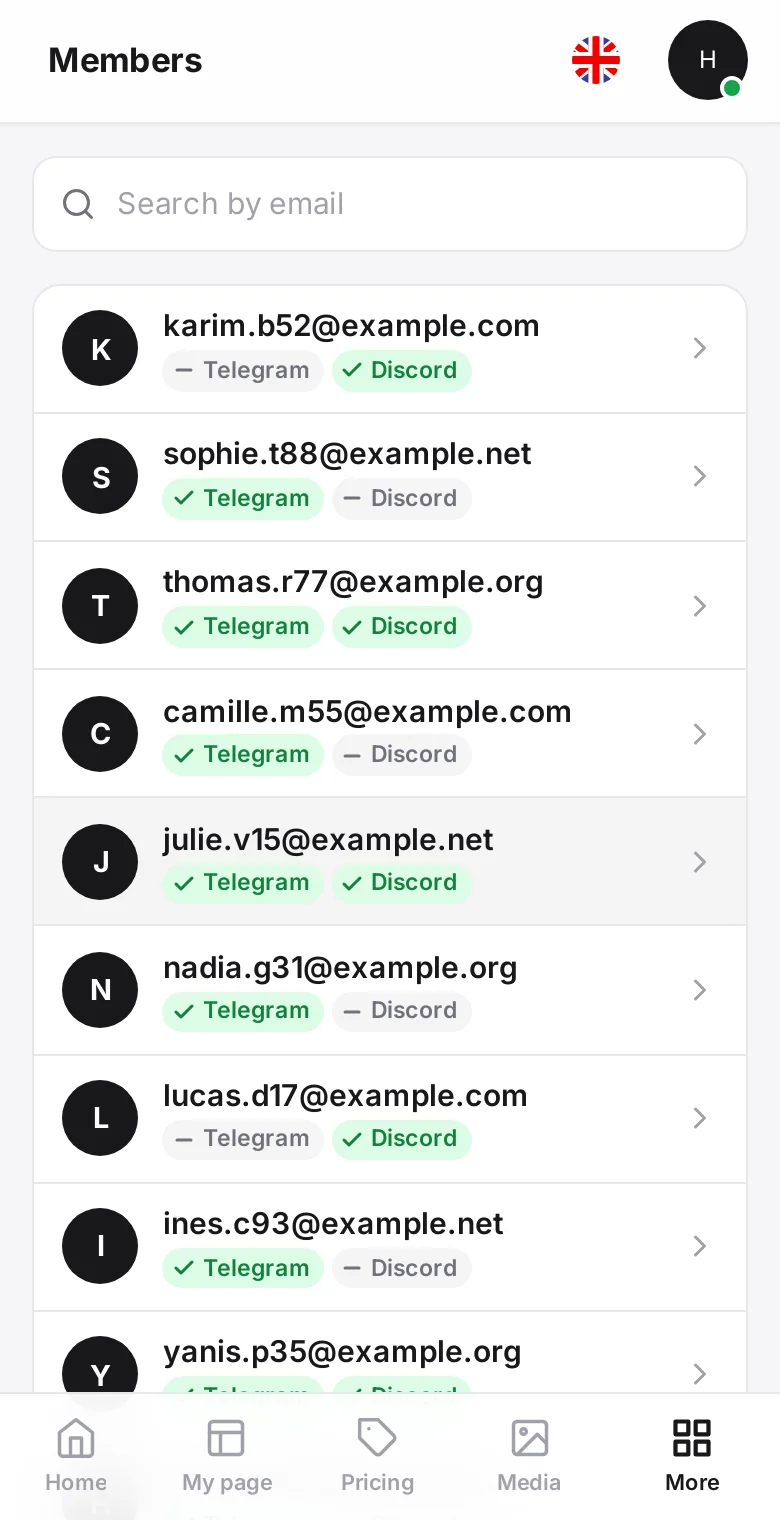
To avoid mistake 3, let the system handle removals: Stripe retries failed payments, and if the subscription ends up cancelled, the role is removed. You still have the member list to see who has paid and who has actually joined your server.
Frequently asked questions
Paid roles, Discord subscriptions, making money on Discord: the questions we get asked most.
Looking for more ways to make money from your community? Got a specific question? Message the founder directly.
How do I monetize a Discord server?
The simplest way is to sell a subscription that comes with a paid role (VIP, for example) and keep your best channels for that role. A tool like Onesub takes the payment, gives the role automatically and removes it when the subscription ends. You can also sell your services, digital products or sponsorships to your community.
Are Discord Server Subscriptions available outside the US?
As far as we know, no. Discord says Server Subscriptions are only open to server owners based in the United States, who need to provide US banking details and US ID. Discord does change these terms, so check its official help page before relying on this. Outside the US, you need an external tool.
How much does Discord take from subscriptions?
Discord says server owners keep 90% of what they earn through Server Subscriptions, after applicable deductions. Other fees may apply on top of that, depending on how the subscriber pays.
How do I create a paid role on Discord?
With Onesub, you connect your server from your page: Onesub creates the Onesub VIP role and a private channel, then gives that role to each member as soon as they pay. When the subscription ends, the role is removed on its own. No code to write, no roles to manage by hand.
How many members do I need to make money on Discord?
You don’t need a huge server. At €10 a month, 40 VIP members already bring in €400 a month. What matters is the value of what you keep for paying members, not your total member count.
What happens when a member stops paying?
With Onesub, Stripe retries failed payments automatically. If the subscription ends up cancelled, the paid role is removed automatically and the member loses access to the private channels. If they cancel themselves, they keep their role until the end of the period they paid for.
Can I offer several subscription tiers (Member, VIP)?
Yes. Create several plans on your Onesub page, each with one or more prices (monthly, quarterly, yearly). Onesub creates one paid role per connected server: for several levels, keep a server or a Telegram channel for each plan. A subscriber on a higher plan also gets everything the plans below it unlock, and members can upgrade on their own, prorated.
Can I offer a free trial on my paid Discord?
Yes. With Onesub you create a promo code that gives free trial days, a percentage or fixed discount, with a duration, a maximum number of uses and an expiry date. Handy for a launch, or to get free members to try the VIP channels.
How much does Onesub cost for a paid Discord server?
The free plan costs nothing per month and takes 5% per sale. Premium is €49 a month and takes 3%, Pro is €99 a month and takes 1%. Stripe fees apply on top in every case. You can connect as many Discord servers and Telegram channels as you like.
Discord or Telegram: which is better for a paid community?
Discord is the better fit if your members talk to each other a lot: topic channels, voice, roles. Telegram is simpler if you mostly publish content your subscribers read. With Onesub, you can also offer both in the same subscription.